

The history of WordPress starts like most others, with an initial idea from an everyday guy (turned genius) looking to solve a problem he had at the time.
In this case, the year was 2002. Matt Mullenweg, a college student at the time, installed the b2 or cafelog blogging system for personal use. Unfortunately, the original creator of b2/cafelog had to give up updating his creation because of personal matters and the project and its community were left without a leader.
On April 1st, 2003, Matt created a new branch of b2 on SourceForge by forking the original b2/cafelog system to create his own version with the help of Mike Little. Matt’s friend, Christine Tremoulet recommended calling it WordPress and that’s the name they stuck with.
After hundreds (maybe thousands) of commits to the official SVN repository, the first version, WordPress 0.7 was released on May 27th, 2003.
WordPress 1.0 was released in January 2004: otherwise known as the ‘Davis’ version. Mullenweg has an affinity for jazz greats. He names all updates after Jazz greats from the past and today. In addition, Matt used to include a plugin called Hello Dolly in every release. This plugin is a long-standing tribute to Louis Armstrong.
That plugin would sum up what they did with the first release of WordPress.
Hello Dolly plugin symbolizes the hope and enthusiasm of an entire generation summed up in two words sung most famously by Louis Armstrong. – Matt Mullenweg
At Kinsta, we can think of no better way to describe the appearance of WordPress than as a symbol of hope and enthusiasm for an entire generation of website owners.
Furthermore, this platform was the first platform that would resemble the WordPress we know today. With search engine friendly permalinks, multiple categories, simple installations, upgrade capabilities, and comment moderation the software was a true blogging system (and maybe an early CMS, however at the time those features were restricted to those with programming experience).
That same year, WordPress caught a lucky break when competitor Movable Type decided to change their pricing structure. This change drove away a lot of Movable Type’s audience. Looking for an alternative, WordPress was the best choice.
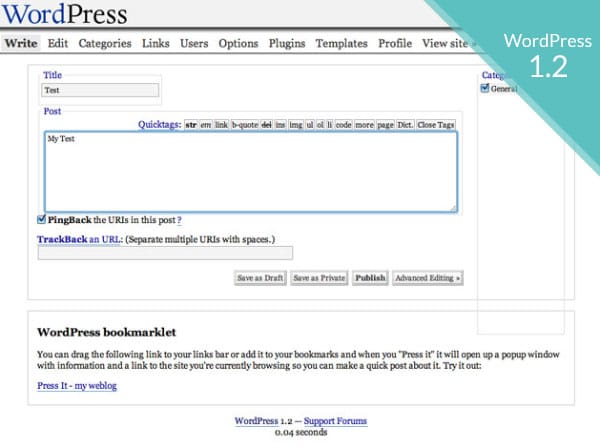
WordPress history version 1.2
Later in October 2004, CNET hired Mullenweg to help them with their own blogs. He would drop out of college to take this job, and moved from Houston to San Francisco.
He worked there for a year, and left in October, 2005. That same month, he created the Akismet comment spam filter for WordPress. This plugin is still to this day, one of the most popular comment spam protectors for blogs.
October was definitely a busy month for Automattic, the company that Matt founded after leaving CNET. They raised $1.10 million in a series A funding. Some of the first investors were True Ventures, Radar Partners, Polaris Ventures, and CNET among others. This was the first sign of growing outside confidence in the platform.
However, with the additional time, now that he was not working for CNET, he also had the chance to update WordPress. The Duke 2.0 update came out in December. This was a major overhaul of the dashboard along with improved speed and efficiency with the posts and image uploading.
Moving into 2006, Automattic started to grow their business and brand.
They hired former Oddpost CEO and Yahoo! Executive Toni Schneider as Automattic CEO. Despite having thousands of users, the company now had only 5 employees.
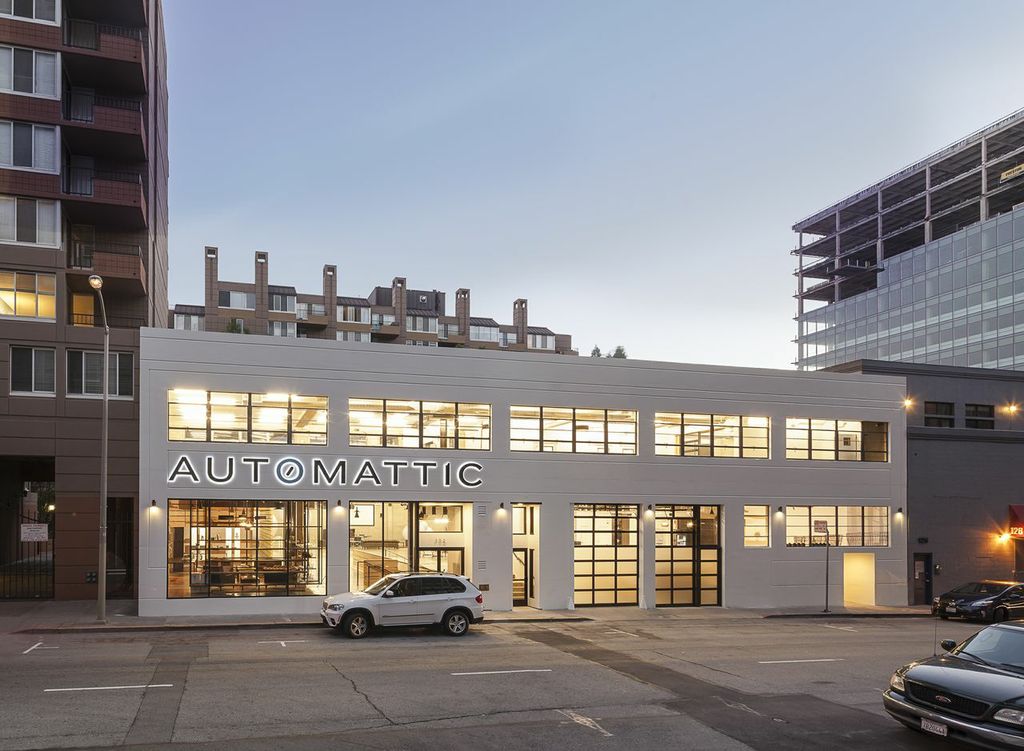
Automattic headquarters in San Francisco (Img src: Office Snapshots)
In August of that year, the first WordCamp was held in San Francisco. WordCamps are annual events that volunteers organize for users and developers to get together and discuss all things WordPress. As of 2018, there are 784 WordCamps in 69 cities across 65 countries (Source: About WordCamp). The annual meeting in San Francisco is the main event, where Matt Mullenweg gives his annual update called State of the Word.
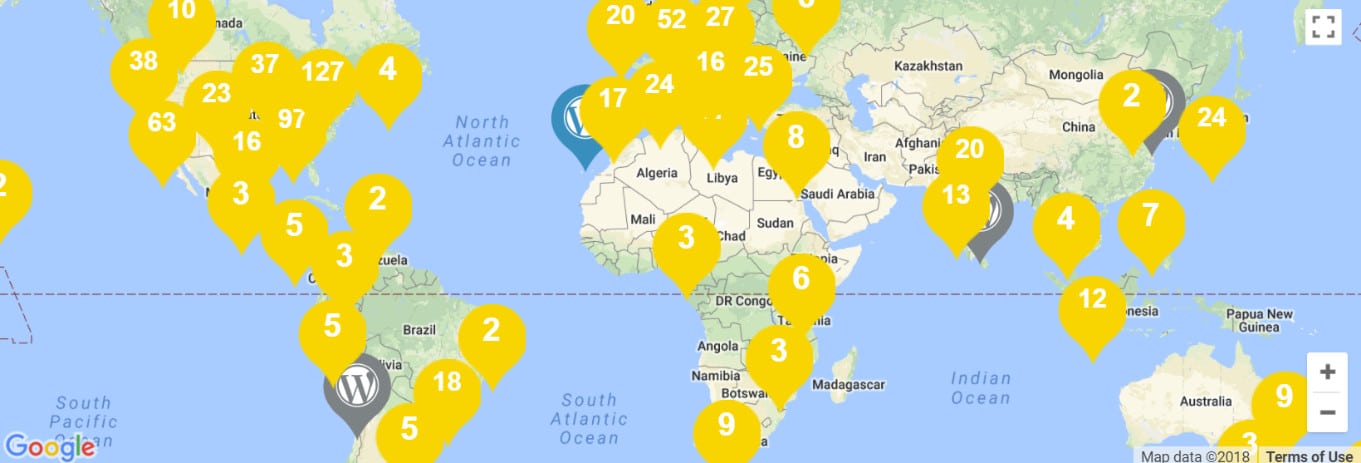
WordCamps around the globe
Then in September 2007, Beijing hosted the first WordCamp outside of San Francisco.
The next month, Automattic purchased Gravatar. Gravatar are the avatars, or pictures you see next to your name when you interact on WordPress sites (and many other services, since it’s a free service). This is the first in a series of purchases Automattic makes to bring in related technology to improve the WordPress platform for users.
In January 2008, they raised another $29.5m in a Series B round of funding.
In addition to Polaris and Radar Partners, the New York Times and True Ventures invested in Automattic at this time. This is important because within the next few years they will make some strategic acquisitions with this funding. While we know there is a line between Automattic, the company, and the WordPress open source project, sometimes that line is blurry.
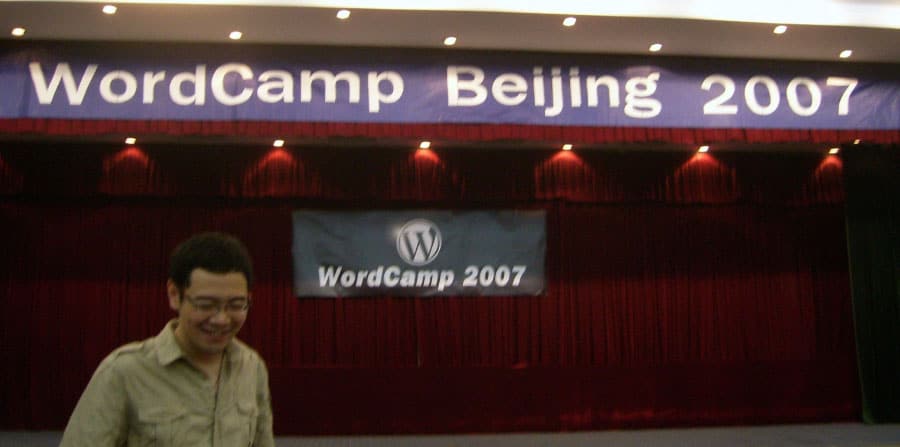
First WordCamp outside San Francisco (Img src: shizhao on Flickr)
As a good example of that blurred line is their first key acquisition, which was BuddyPress. BuddyPress is the social networking platform that runs on WordPress. It has spawned an entire legion of secondary plugins for this useful addon. Just like WP itself, it is licensed under GPL and is, of course, open source.
Furthermore, 2008 was also the launch of the WordPress Theme Directory. Anyone can develop and upload their themes to this directory and make it available for free to tens of thousands of visitors, the only criteria is that it has to pass a quality check first. There’s a lot of activity on the site every day and there are more than 2,500 free themes available for download as of now!
Fast forward to June 2009, and we have the next major WP update: the WordPress 2.8 Baker version. This update helped admins with features like automatic installation of themes and the addition of the CodePress editor to help web developers with the coding of their sites was also important. That same year WordPress also won the Packt best Open Source CMS Awards.
Packt best CMS award
If I wanted to single out one particular update that I think was groundbreaking, it would definitely be the 3.0 Thelonious one, released in June of 2010. The inclusion of the feature for custom post types has opened the gates to all kinds of customizations of the content types you can manage with WordPress. Previously there were only posts, pages and taxonomies; now you could create a post type for restaurants (for example) and using custom fields you could add a bunch of key-value pairs to describe that particular object. This is exactly what separates WordPress as a CMS from a “simple” blogging system”. Via the introduced APIs it became much simpler to extend the functionalities of a core WordPress install and customize it to your (or your clients’) exact needs!
WordPress 3.1 Reinhardt update came out in February 2011. One of the notable additions was the admin bar, that you can use to access every page’s backend while logged-in to your site.
This made it easier to change specific pages without having to rummage around your site for the posts and pages you wanted to update. Plus building upon the great CMS features of 3.0, Post Formats and archives for custom post types were introduced in 3.1.
Additionally, in 2011 WordPress now powers over 12% of the world’s websites. In July, they surpass 50 million WordPress blogs. This growth will keep going. Three years later, they have a 22% share of the world’s websites using their platform.
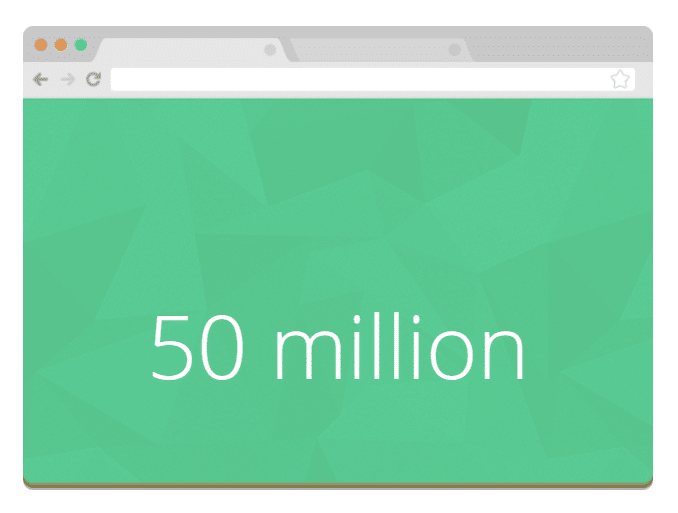
50 million WordPress blogs
Skipping forward to January 2013, Automattic acquires Simperium, the note-keeping app. This is useful for developers creating apps to keep track of what they are working across a large team sprawled across the world. For example, perhaps you want to create a WordPress plugin or theme with developers in Delhi, Boston, and San Francisco. Now you have a single system to organize the notes for the app.
Then as we finally move to the last 6 months, let’s look at some of the major moves.
Starting in December 2013 came a major change with the WordPress 3.8 Parker update. For the first time, since the Davis update, the core team revamped the look and feel of the Dashboard. They also made the WordPress admin interface responsive. This means that the platform can work as well on a mobile or tablet device as a computer.
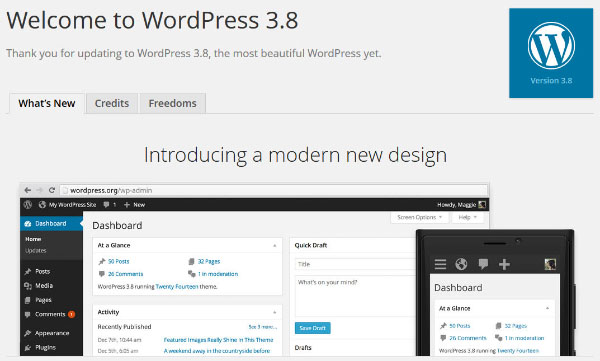
WordPress 3.8
In April of this year, Automattic went on a small buying spree purchasing Longreads and Scroll Kit. Longreads is a news aggregator specialized in the ever more popular long-form style of writing. On June 5, 2014 Longreads announced that they’ll be launching a new series in which they’re looking for the best content over 1,500 words published on the WordPress platform. This includes the WordPress.com and the self-hosted blogs too! As longtime Longreads.com (and WordPress of course) fans this is a fantastic idea in our opinion! If you’d like to call the editorial teams’s attention to a great piece just tweet the link and add the hashtag #longreads.
Scroll Kit closed down. It seems that WordPress was more interested in the coders than they were in the company.
Also in April, the core team released the WordPress 3.9 Smith update. This update is changing how WordPress works with future automatic version updates. Hopefully even long abandoned, self-hosted blogs will get automatically updated to the latest versions making the perception of WP being insecure a lot less common.
Finally, the icing on the cake would be the $160m Series C funding round Automattic received at the beginning of May. This funding round confirmed that the value of Automattic is over $1 Billion. The company itself has only 256 employees. Considering how the other tech giants like Google, Facebook, Yahoo!, and Amazon have thousands of employees working for them, this is amazing. We don’t yet know what Automattic is planning on doing with the new funds, however, we’re sure it will be beneficial for everyone involved with WordPress.
Almost makes your head spin as you think about all WordPress has achieved in the past 14 years. However, this is just the beginning. The founders, the core contributors and the whole community have created a dynamic platform that 29.3% of the world’s websites run on, but also gave birth to one of the most vibrant ecosystems on the web today.
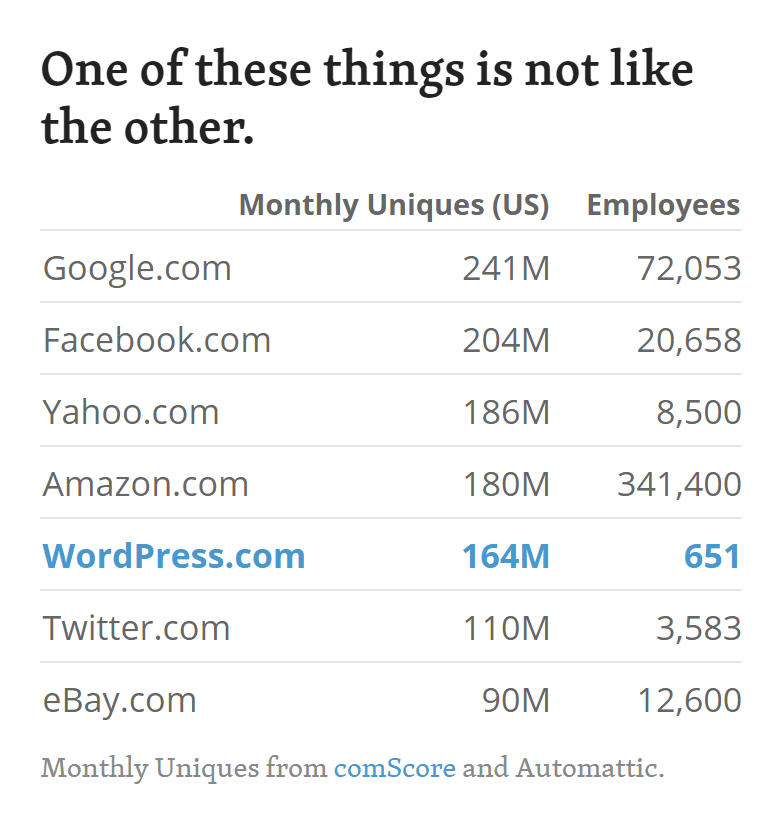
WordPress employees and traffic (Data src: About Automattic)
The WordPress 4.0 update, or Benny, was released to polish up the writing and management experience. Uploading media became easier, since it was all presented in a beautiful grid format. Embeds also turned into a more fluent process. For example, pasting a YouTube URL into the editor would automatically embed a video into the post. This worked with various links, so the embedding process became more visual in nature.
On the editor side of things, the developers wanted to keep the editing tools in view at all times. Therefore, the editor would start expanding to fit your content as you wrote. The final main addition with 4.0 was some changes to the plugin directory. They implemented a better search, new metrics and a more visual experience to see exactly what types of plugins were coming up after the search.
WordPress 4.3, or Billie, put a strong focus on customization and formatting, with menu tools right in the customizer. For example, it allowed for assigning menus, customizing them and even managing them from a mobile device. Formatting shortcuts came along for those who weren’t keen on utilizing keyboard shortcuts. As an example, putting ## before and after a line of text would turn it into a header.
In addition, the site icon upload removed the need to go out and find a third-party favicon plugin. Better passwords made for stronger security, while the smoother admin experience ensured that modifications were easier on any device. They also added a Customize button on the frontend of site, along with the rollout of all comments being turned off on pages.
WordPress 4.5, or Coleman, streamlined the workflow with additions like inline linking. Some other formatting shortcuts were provided, such as the ability to add horizontal lines in an instant. One of the more impressive updates involved the Preview button. Since websites need to look great on all devices, it made sense that they made the previews mobile responsive. Custom logos came along with the update, and the smart image resizing brought images up much faster without any changes to the page speed.
Some of the other features with WordPress 4.5 include script loader improvements, selective refresh, better embed templates and updates to JavaScript libraries.
In previous versions of WordPress you may have noticed that installing a plugin currently redirects you to the loading screen. The WordPress 4.6 update removes this for both updates and installations, making the process a little more streamlined.
One problem many webmasters have is locating broken links. This update highlights those links right after they’ve been inserted. Another problem came along when users tried to disable revisions. It affected the autosave feature, but the new changes should fix that.
Back when WordPress started, it utilized the Open Sans font to ensure that all devices rendered similar font sizes and styles. This has changed in the past, but WordPress is reverting back to it. Therefore, you may notice some changes to the way your backend user interface looks. However, the modification is meant to help out with mobile backend users.
We always see Under the Hood updates, and some of these include the following:
WP_Site_QueryandWP_Network_QueryClasses- New
WP_Post_TypeClass - New
WP_Term_QueryClass - Standardized Metadata Registration
WordPress 4.7, or Vaughan, included a lot of exciting new features such as the new twenty seventeen theme, new customization options, and a host of developer features.
The theme customizer was been completely redone. They added new shortcut icons which you can click and go directly to the field in question. Building menus in the customizer became much easier as you could create pages while building them. And you could finally add custom CSS within the customizer.
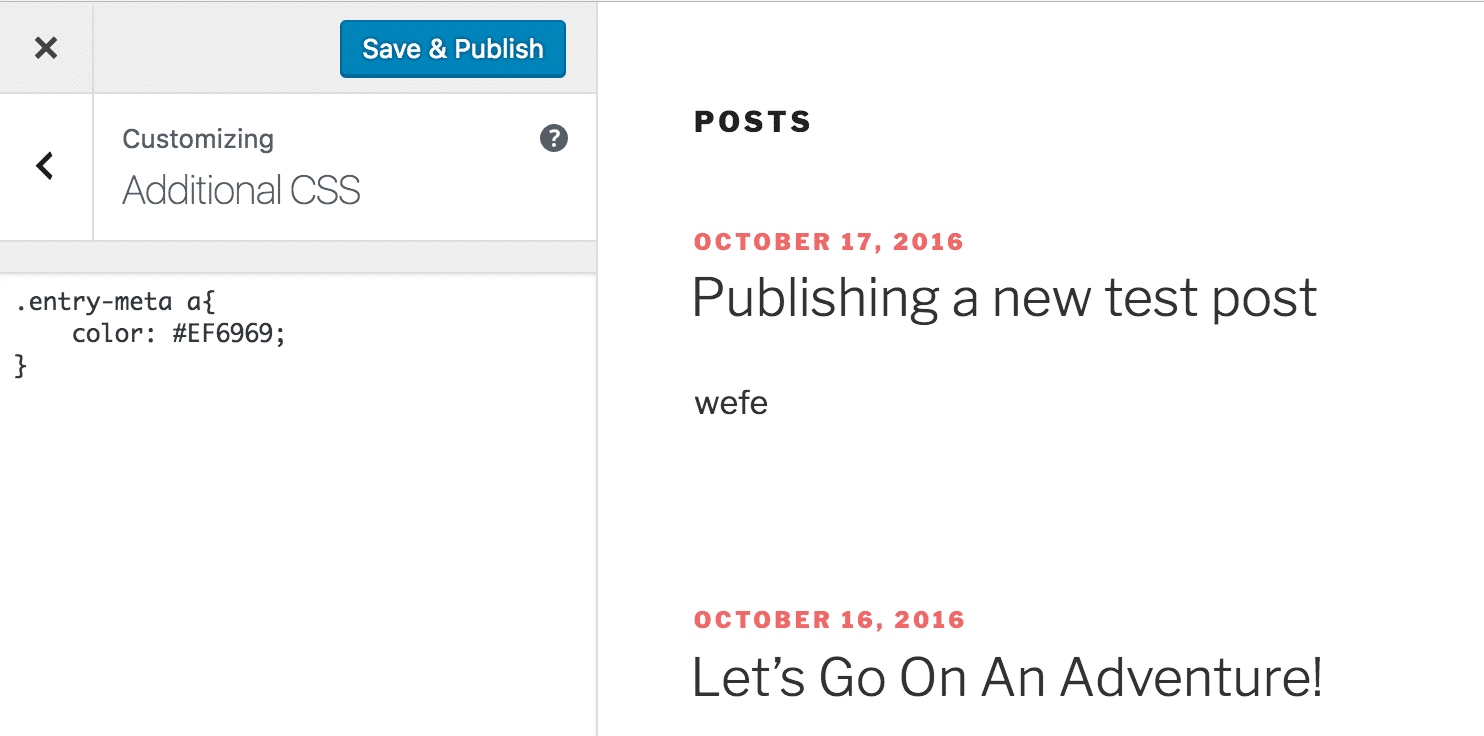
WordPress 4.7 customizer
Thanks to the customize API and the new focus of the WordPress team on the theme customizer, developers are now building various customizer frameworks to elevate and provide a unique editing experience for WordPress users. For developers, you can now register post type templates. Content endpoints have also been merged into core regarding the WordPress REST API.
WordPress 4.8, or Evans, was released on the 8th of June 2016. This version’s main focus was to improve existing widgets and also introduce some new ones as a way to more easily showcase content, images, and branding. Prior to this, widgets hadn’t received much of any updates for years, so it was great for users to see some extended functionality. This included the visual editor being accessible inside widgets, as well as a new image widget, video widget, and audio widget.
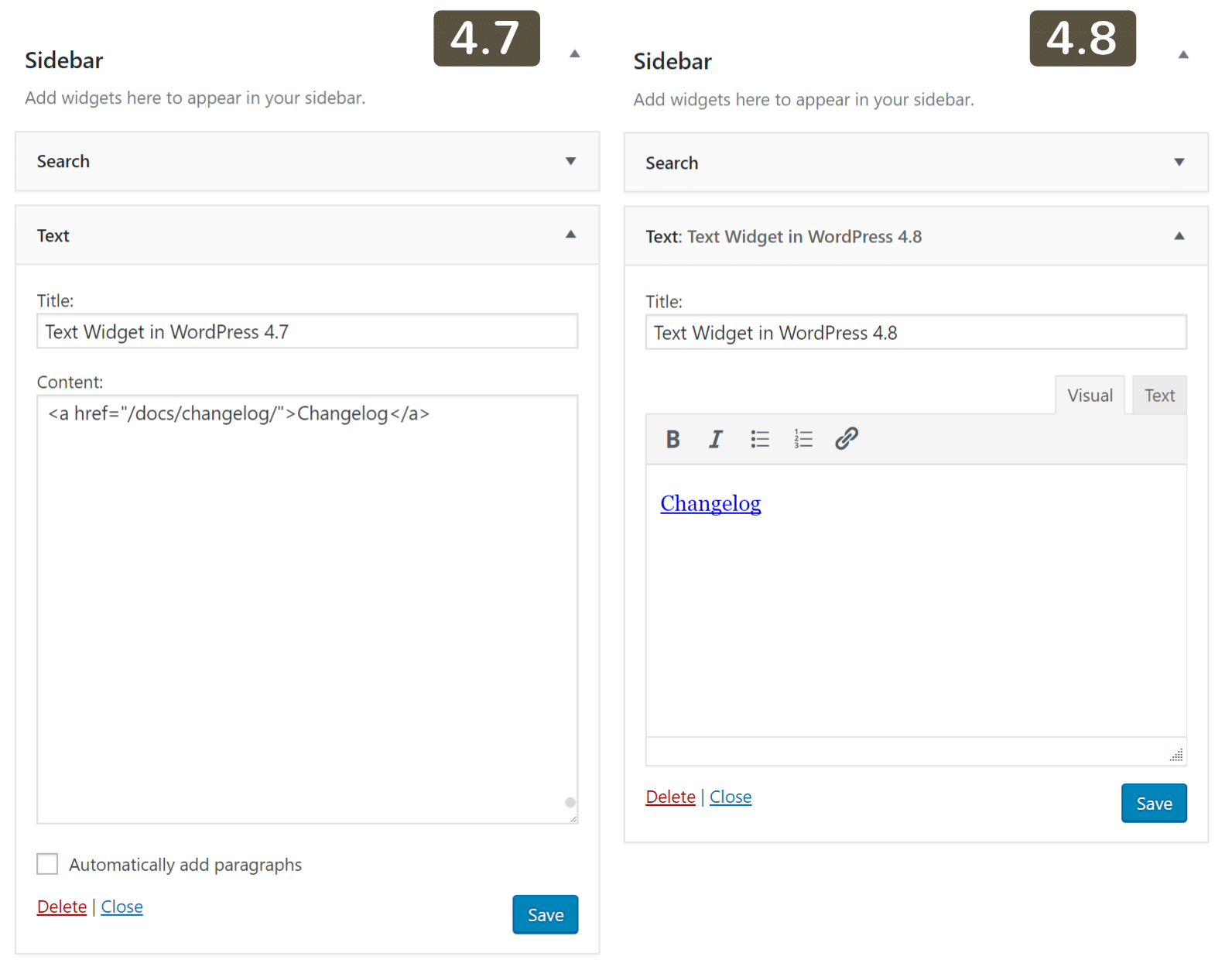
WordPress 4.8 visual editor on widgets
Along with the WordPress 4.8 update came a change with how links were handled in the editor. Previously when you would select a link and edit it, sometimes you would end up linking the word next to it, or not being able to move the cursor outside the link element. It wasn’t a bug, but rather a small annoying thing every publisher had to deal with. To help better resolve this issue they have added what they call link boundaries, or rather blue borders around them when they are selected.
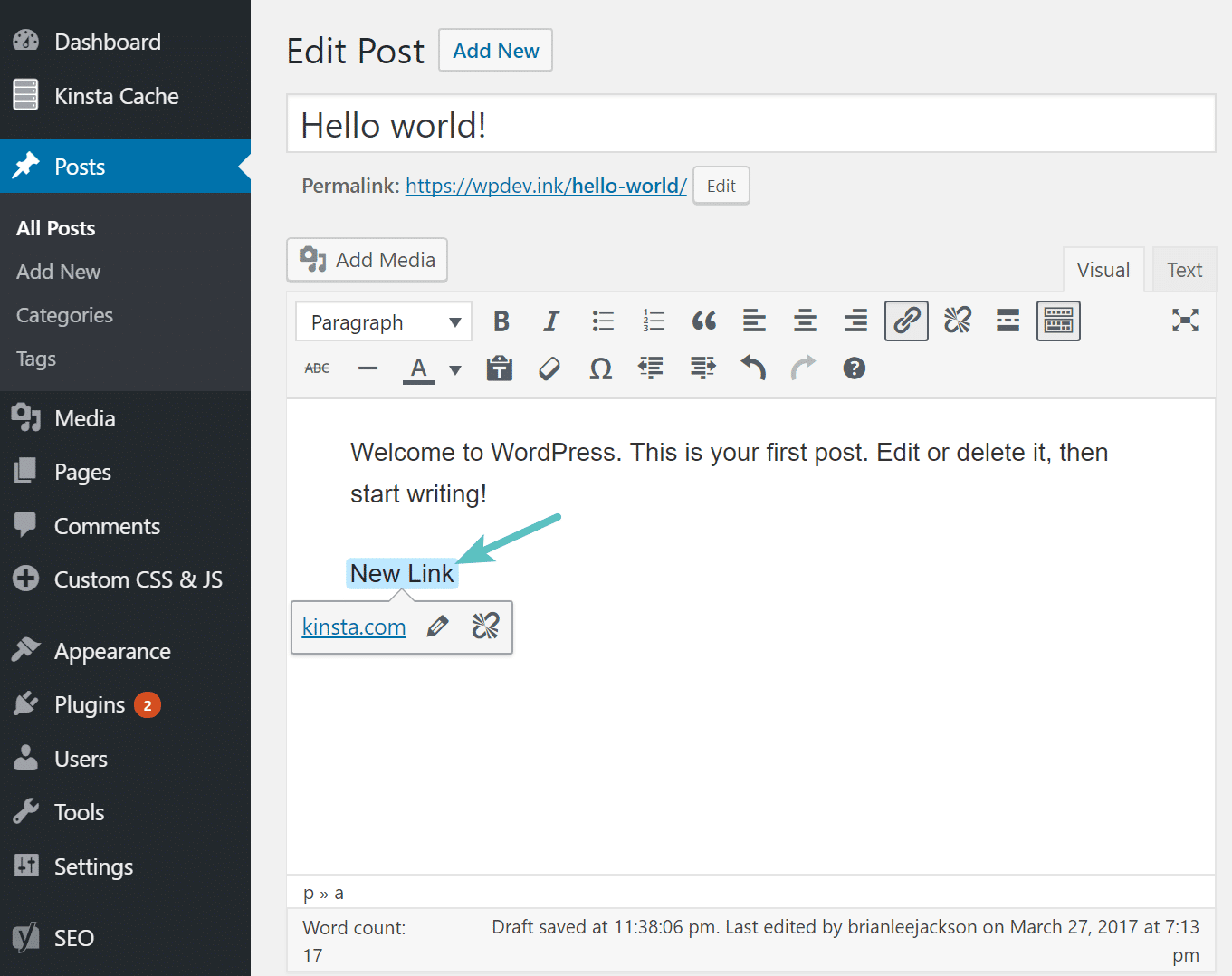
WordPress 4.8 link boundaries
The latest version, WordPress 4.9, Tipton, marked a significant step toward a more user-centric way to customize and manage websites, with great improvements to the Customizer, more changes to widgets, a powerful WordPress text editor for editing code, and much more.
In all previous versions of WordPress, there hasn’t been code syntax highlighting or validation of any kind. It was simply displayed in plain text. With WordPress 4.9 came the integration of the CodeMirror text editor. This is great news, especially for developers, as it is now easier to quickly make small code changes, as well as tweak CSS in the customizer.
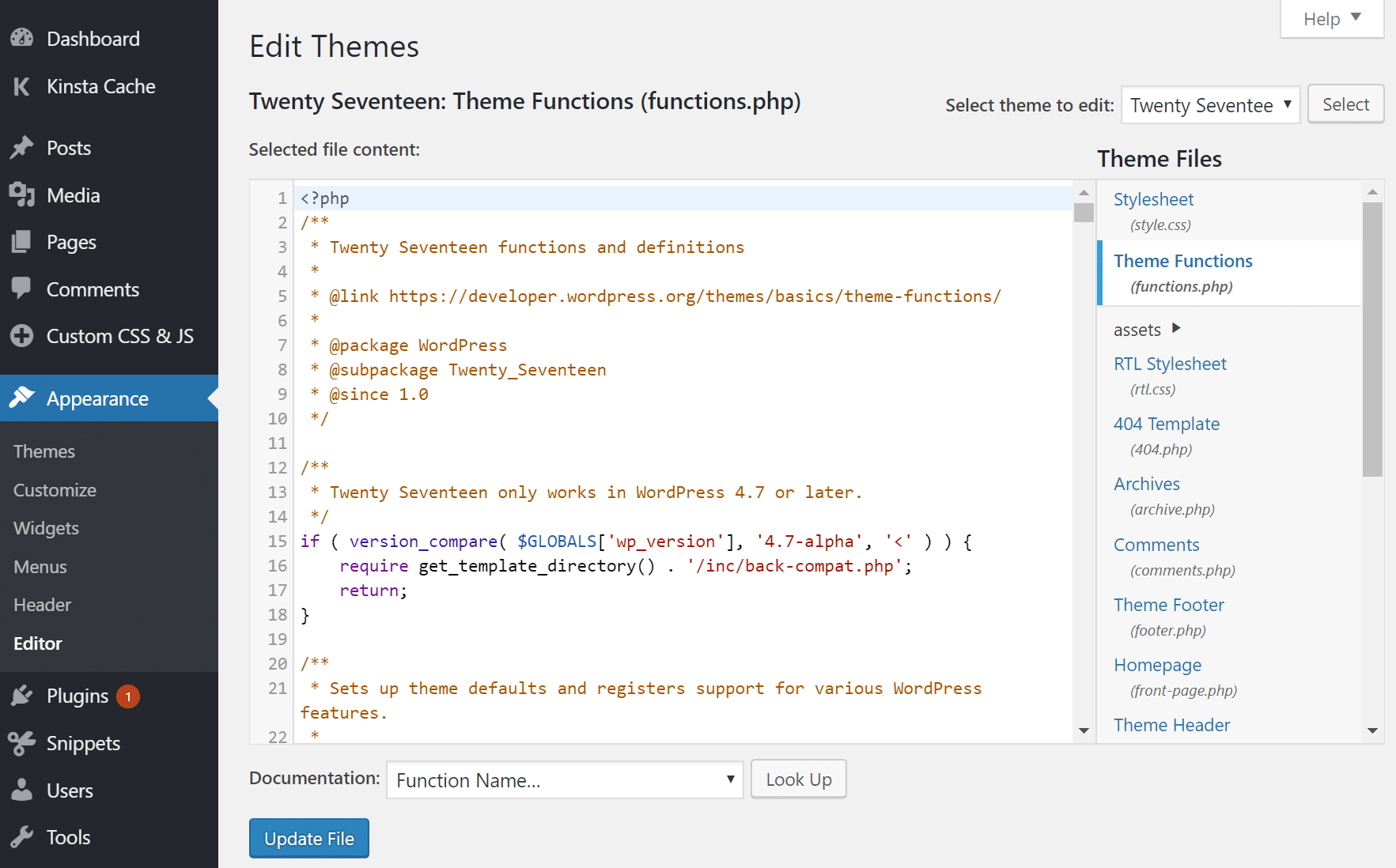
WordPress 4.9 code editing
Another changed that was introduced was a new way to save changes in the Customizer. Any time you start a customization session, every change of settings is saved in a customize_changeset custom post type. Thanks to changesets, user customizations can be saved as drafts or scheduled to be published in the future. This means that site admins can discard changes and restore the Customizer to the last published state before the final publication.